Docs menu
Compute
Compute is the vCPU and memory sized per formation, metered by the minute.
On this page
Compute is the vCPU and memory each pod runs on. You pick a size per formation (web, worker, and any custom process types you declare) and Primcloud meters it by the minute, from the minute the pod starts. Rates are quoted per hour; you're charged for the exact time each pod ran, with no minimum.
Compute tiers#
Two tiers today. Standard is shared CPU, not dedicated, and the cheaper tier. Standard sizes differ by memory. Performance is dedicated CPU.
| Name | CPU | Memory | Hourly | Monthly (720h) |
|---|---|---|---|---|
| Standard 1x | Shared | 512 MB | $0.007 | $5.04 |
| Standard 2x | Shared | 1 GB | $0.014 | $10.08 |
| Standard 4x | Shared | 2 GB | $0.028 | $20.16 |
| Performance 1x | 1 | 2 GB | $0.0695 | $50.04 |
| Performance 2x | 2 | 4 GB | $0.139 | $100.08 |
| Performance 4x | 4 | 8 GB | $0.278 | $200.16 |
| Performance 8x | 8 | 16 GB | $0.556 | $400.32 |
Important
A size's memory is a hard cap. An app that uses more memory than its size is restarted.
Which tier for what. Standard is fine for most web apps and background workers. Reach for Performance when your app needs dedicated CPU (heavy compute jobs, latency-sensitive services under sustained load, real-time workloads).
Sizing per formation#
Compute is picked per formation, not per environment or per application. Your web formation can run on standard-2x while a worker formation runs on performance-1x in the same environment. Every pod inside one formation runs at the same size: replica count scales pods of that size horizontally; compute size scales each pod vertically.
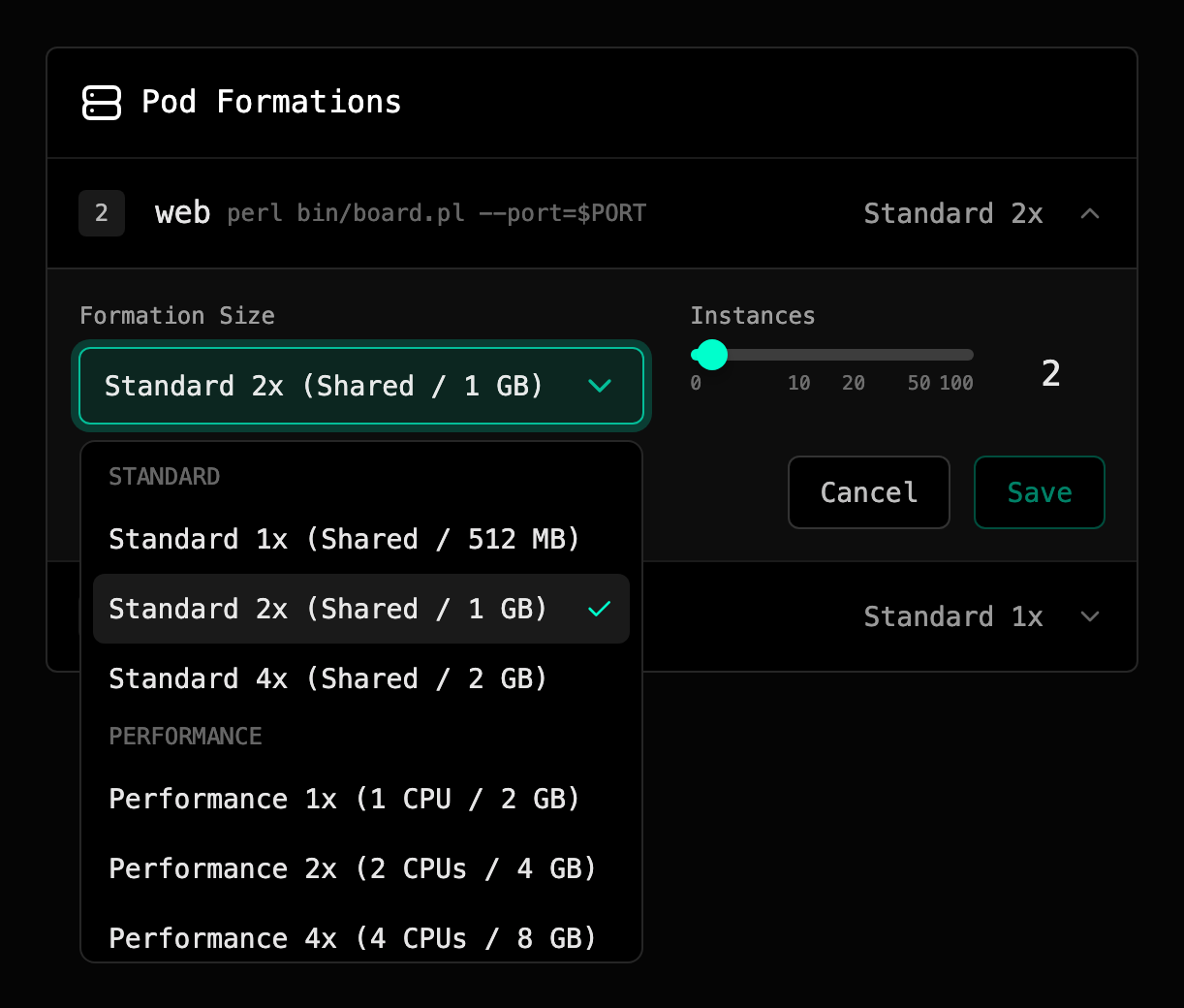
Every formation sizes independently: your web can sit on performance-2x while a worker runs standard-1x. On Pro and Team, where an application can run more than one environment, each environment's formations are sized on their own.
Changing compute#
Change compute from the formation card in the dashboard. Saving triggers a fresh release. Primcloud reuses the last successfully-deployed commit (no rebuild), rolls pods with the new size one at a time, and drops no traffic during the swap. The new release shows up in your deployment history so you can see when the size changed.
Downgrades are always allowed, regardless of billing state. Smaller pods cost less, and Primcloud wants you to be able to stop bleeding money at any moment.
Upgrades require your account to be in Active billing state. If you're past-due or suspended, the upgrade is blocked until the outstanding invoice clears. See Past-due & Suspension for the full state model.
Compute and formations own separate things#
Compute sizes each pod; formation replicas set how many pods. Together they answer the two independent scaling questions:
- How much CPU/memory does one pod need? → Compute.
- How many pods do we need in parallel? → Formation replicas.
You can leave one alone while changing the other: a heavier compute size with one replica, or a lighter compute size with more replicas. On Pro and Team, smart autoscaling moves the replica count for you within a min/max range you set. It does not change compute size. See Pod Formations for replica management.
Billing shape#
Compute meters by the minute, from the minute a pod starts. Rates are quoted per hour, and your charge is the exact elapsed time each pod ran. There's no minimum billable duration and nothing rounds up to a full hour. Downscale (fewer replicas, smaller size, or shutting a formation to zero) stops the meter the same minute. Full pricing detail, invoice cycle, and included quotas live at Plans.