Docs menu
Secrets
Secrets are scoped per environment and injected into your pods as environment variables. Saving a change triggers a redeploy so pods pick up the new value.
On this page
Secrets are how your app receives configuration from Primcloud: database URLs, API keys, feature flags, anything you don't want hard-coded in the repo. They're scoped per environment, encrypted at rest, and injected into your pods as environment variables. Any save that changes them triggers a redeploy so pods pick up the new value.
Setting secrets#
Open the application's Settings page and scroll to Secrets. You get a paired Key / Value list. Add a row, remove a row, or edit an existing pair. Values are hidden by default; click the reveal button on a row to see the plaintext.
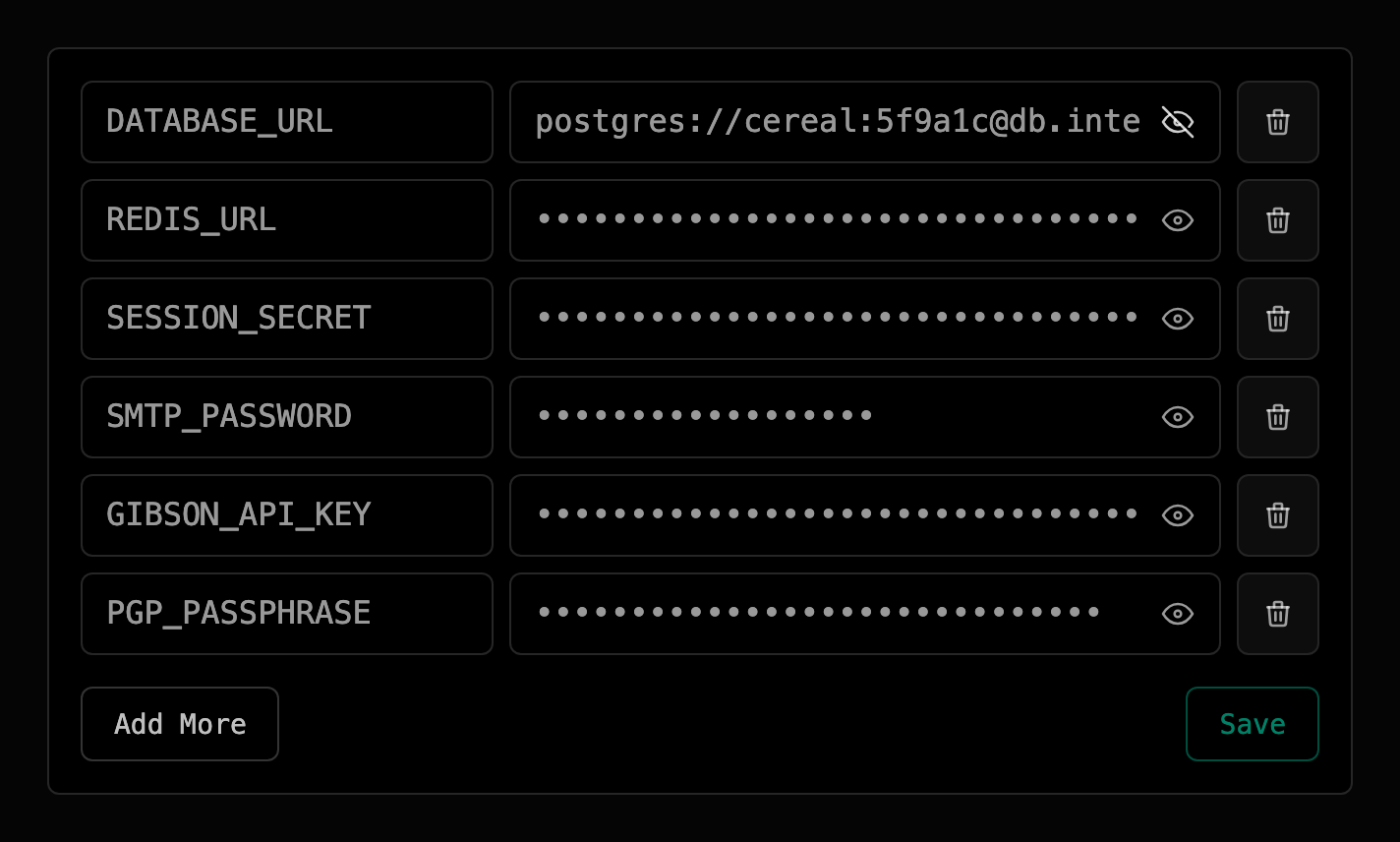
Hit Save and the diff is applied in one batch: new keys are created, changed values are updated, missing keys are deleted. The save is atomic: either the whole batch lands or none of it does.
When values apply#
Your secrets are injected as environment variables in two places:
- At build time: the Primcloud Runtime exposes them to the build so tools like
npm,pip,bundle, andcomposercan read tokens for private registries, feature flags that affect compilation, or anything else your build step needs. A secret overrides a default the build sets under the same name. A key starting withPRIMCLOUD_is the one exception: it never reaches the build. - At runtime: every pod in every formation (
web,worker, task pods) starts with your secrets set as real environment variables in the process. Your app reads them the same way it would locally (process.env.X,os.getenv('X'),ENV['X'],getenv('X'), etc.).
Redeploy behavior on change#
Saving secrets triggers exactly one release, even if you changed twenty pairs in a single save. Primcloud reuses the last successfully-deployed commit for that release (no new build), redeploys with the updated values applied, and rolls pods one at a time with zero downtime.
Three things worth knowing:
- No debouncing. If you save twice in a row, you get two releases. Batch your changes into one save.
- First save is a no-op release-wise. If you save secrets before the environment has ever deployed a successful commit, there's no image to roll. The values are stored, and they'll take effect the first time you deploy.
- Canceling that release doesn't revert the values. Your saved values are stored the moment you save. If you cancel the release they triggered, pods return to the previous release's image but keep the secrets you saved. To undo the change, edit it here again. See Canceling a deployment.
Secret handling#
Secret values are encrypted at rest and delivered to your pods over encrypted transport. Nothing sits in plaintext on disk or in backups, and nothing crosses the network unencrypted between your browser, Primcloud, and the running pod.
The values are visible to anyone with access to the account that owns the application: just you on Standard and Pro, and the team's members on Team. Treat your account credentials with the same operational hygiene you'd apply to any secret store: a unique password, 2-factor auth, and no pasting production values into Slack or a bug tracker just because you can reveal them here.
Special variables Primcloud sets#
Primcloud sets a small set of platform variables in your web, worker, and release pods, on top of the secrets you set yourself. You don't declare these; they're present automatically, and a secret you set with the same name is overridden by Primcloud's value.
| Variable | What it is |
|---|---|
PRIMCLOUD_APP_ID |
Stable ID of the application. |
PRIMCLOUD_APP_SLUG |
URL-safe slug of the application. |
PRIMCLOUD_ENVIRONMENT_ID |
Stable ID of the environment this pod belongs to. |
PRIMCLOUD_FORMATION_NAME |
Name of the formation running this pod (web, worker, …). |
PRIMCLOUD_REGION |
Region the pod is running in (us-east-1). |
PRIMCLOUD_COMMIT |
Git SHA the running image was built from. |
PRIMCLOUD_POD_ID |
Unique name of the running pod (useful for per-instance logging). |
PRIMCLOUD_RELEASE_VERSION |
Version of the release this pod is running (v1, v2, …). Counts up per successful release; canceling during release returns pods to the version they were running before. |
PRIMCLOUD_RELEASE_CREATED_AT |
Timestamp the release was created. |
PORT |
Port your web process must bind to (5000). Web formations only. |
Important
Bind your web server to PORT. Primcloud routes traffic to that port and nothing else. If your app hard-codes 3000 or 8080, it won't receive requests.