Docs menu
Logs
Primcloud captures four log streams per environment (build, release, application, and access), streamed live in the dashboard, with querying after the fact.
On this page
Primcloud captures four log streams per environment: build, release, application, and access. Every one streams live in the dashboard the moment it's produced, and stays queryable for a rolling window after the fact. There's nothing to install and no drain to configure. Logs surface where you already work.
The four log streams#
Build logs are the full output of the build phase for a specific deployment. Language detection, dependency install, asset compilation, image push: every step of the build writes here. They're attached to the deployment, not the environment, because a given build only happens once per deploy. Look at these when a deployment shows Build Failed.
Release logs are the output of the release phase for a specific deployment: the release process (migrations, warm-ups) if your Procfile declares one. They're also attached to the deployment. Look at these when a deployment shows Release Failed, or when you want to confirm a migration ran cleanly.
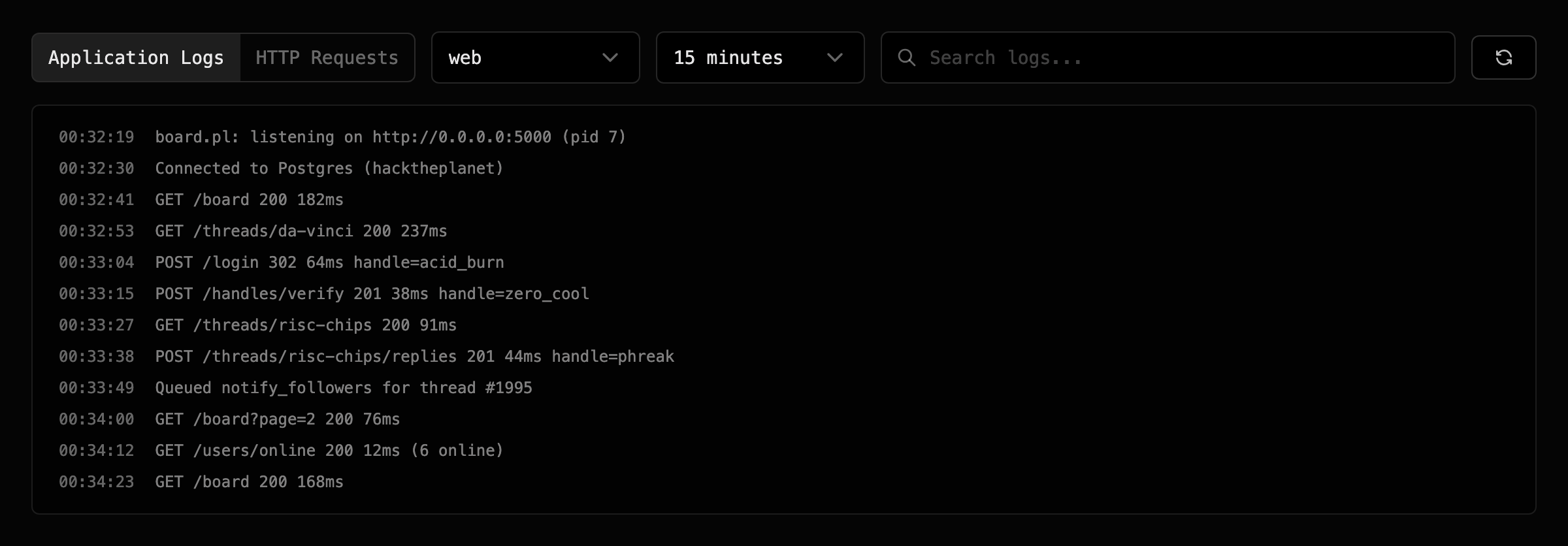
Application logs are everything your running app writes to stdout and stderr, from every pod in every long-running formation (web, worker, and any custom process types). This is the day-to-day "what did my app just do" stream, and it's where you'll spend the most time.
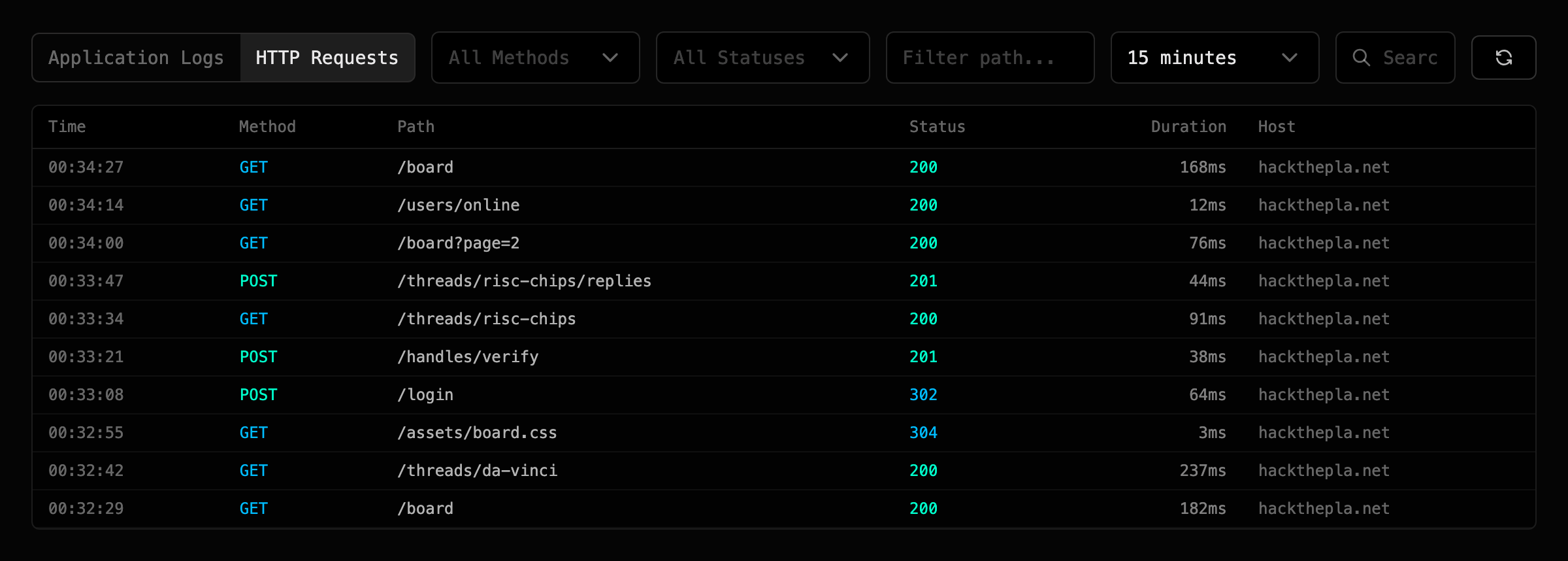
Access logs are one line per HTTP request that reached your web formation, with method, path, status code, response time, and the requesting IP. Handy for spotting spikes, tracking down 500s, or eyeballing traffic patterns without instrumenting the app.
Where logs live in the dashboard#
Build and release logs live on the deployment page for their deployment. Open any deployment from the history and both streams are right there. Application and access logs live on the environment's dedicated Logs page, which toggles between an Application Logs view and an HTTP Requests view at the top.
Toggle to HTTP Requests and each line becomes one request:
Real-time streaming#
Every log stream tails live. Open the page and new lines appear as they're produced, with no refresh, no polling, and no CLI to install. Streaming holds up while you scroll back through history: pause the tail to inspect older lines, resume it to catch up.
Retention#
Application and access logs are queryable from the dashboard for the last 7 days on Standard and the last 30 days on Pro and Team.
Build and release logs are scoped to their deployment rather than that window. Open a deployment from a few weeks ago and its build and release logs are still there to read.
What to log from your app#
The important part is easy: write to stdout and stderr. Every framework and language logs there by default, so most apps don't need to change anything.
A few things worth knowing:
- Structured logs are captured verbatim. If your app emits one JSON record per line, Primcloud stores the raw JSON. The Logs page renders each record as a line for now; a structured view is on the roadmap.
- Don't rely on log files. Every pod is ephemeral, so files on a pod's local disk disappear when the pod restarts or rolls. If your framework writes to a log file by default, redirect it to
stdoutinstead. Most modern frameworks switch this with an env var (LOG_CHANNEL=stderrin Laravel,LOG_TO_STDOUT=truein Rails, and so on). - Don't log secrets. Once a line is in the log stream, anyone with access to your dashboard can read it. Redact tokens, credentials, and PII the same way you would on any host.
- Line length matters less than you'd think. Primcloud captures long lines fine, but the dashboard wraps at reasonable widths, so expect to scroll if you're logging huge JSON blobs.
Filtering and searching#
Both views take the same set of filters on top of the live stream:
- Time range: 15 minutes, 1 hour, 6 hours, 24 hours, or your full retention window. Anything you tail live shows up in the 15-minute view.
- Search: a free-text search against the log line. Simple substring for now; regex and structured-log filters are on the roadmap.
Application logs add:
- Formation: narrow to a single process type (
web,worker, or any custom name) so a noisy worker doesn't drown out the web log you're reading.
HTTP request logs add:
- Method: filter to a specific HTTP verb (
GET,POST,PATCH, and the rest). - Status class: 2xx, 3xx, 4xx, or 5xx buckets, for quickly isolating errors or successful requests.
- Path: substring match against the request path.
Filter combinations narrow the stream in real time. Pick a time range, a formation, and a search string, and both the current tail and the historical view respect all three.